Best iPhone message export software in 2026, compared by how it reads your messages
The honest answer to “which one is best” is that these programs split into two families that are not really competing at the same thing, and the split is not price, platform or feature count. Some read the message database out of an Apple backup. Others photograph your screen and read the pixels back. Everything else in the table below matters less than that one line, so it is the column this page is built around.
Every figure here was checked on 4 August 2026 on the vendor’s own pages or its App Store listing, and the cells that carry a later date were read again on that date. Where a vendor does not publish something, this page says so instead of guessing.
What are the eleven programs, side by side?
What an encrypted backup carries that an unencrypted one leaves out, and why its password cannot be reset, is Apple’s own subject in About encrypted backups on your iPhone, iPad, or iPod touch. That column below is about which programs can read one.
| Program | Price, 4 Aug 2026 | Model | Where the messages come from | Encrypted backups | Platforms |
|---|---|---|---|---|---|
| CopyTrans Contacts | 19.99 USD | one time | the phone, over USB | yes | Windows |
| Decipher TextMessage | 29.99 USD | one time | an iTunes or Finder backup | yes | Windows, macOS |
| iExplorer | 39.99 USD | one time | the phone or a backup | yes | Windows, macOS |
| AnyTrans | 39.99 USD/year, 59.99 lifetime | either | a backup | no | Windows, macOS |
| MobileTrans | 39.99 USD/year or 39.99 lifetime | either | the phone, over USB | unverified | Windows, macOS |
| TouchCopy | 70 USD for two PCs | one time, or a 6 or 12 month licence for one PC | a backup | yes | Windows, macOS |
| iMazing | 29.99 USD/year for one device, 49.99 for five (15 Oct 2026) | subscription only | an iTunes or iMazing backup | yes | Windows, macOS |
| TextPort | desktop apps free; on iPhone the first three conversations free (15 Oct 2026), then from 4.99 USD/week to 59.99/year, several tiers at once (4 Oct 2026) | free on a computer, subscription on iPhone (15 Oct 2026) | iPhone: iMessage through Apple Shortcuts, built on its servers (4 Oct 2026); Windows: an iPhone backup on the PC; Mac: the Messages on the Mac (15 Oct 2026) | no on Windows, which walks you through turning encryption off (15 Oct 2026) | iOS, Windows, macOS |
| TextKeep | 19.99 USD/month, 59.99/year (4 Oct 2026) | subscription | screenshots, read on its servers | not applicable | iOS only |
| PhoneView | unpublished, see below | one time | the phone over USB, or an iTunes backup on the Mac | not stated for messages | macOS only |
| ChatExport | free trial, then a one time licence | one time | an Apple backup, the message database | yes | Windows |
Two things in that table are worth more than the rest of it. First, though, the one row that needs its own paragraph.
PhoneView is the Mac-only entry in this category and it is halfway out of the door. As of 4 August 2026 its product page and its checkout return errors, it is absent from its vendor’s own product list and support index, and the support page for it redirects to a generic help home. The installer still downloads and the manual still opens, so the honest description is still downloadable, no longer sold or advertised, and the price is not something this page can quote, because the vendor’s own pages that carried it are gone. What a Windows user who was recommended PhoneView should use instead, and what a Mac owner who has lost it can still turn to, is in a PhoneView alternative for Windows.
What it does is worth recording anyway, because it comes from the vendor’s manual rather than from anyone’s opinion. PhoneView is “a Mac application for accessing iPhone, iPad or iPod touch iMessages, SMS/MMS, WhatsApp messages” and needs “Mac OS X 10.12 or newer”. It reads the connected phone, and separately an iTunes backup sitting on the Mac, though not an iCloud one. It exports PDF, text, tab-delimited, CSV and XML, and can save attachments beside the document. On encrypted backups the manual says only one thing, and it points the other way from every other program here: since iOS 13, encryption must be switched on for PhoneView to reach your call log. About messages from an encrypted backup it says nothing, so neither does this table. If that row is the one you came for, because somebody recommended a program that turns out to have only ever run on a Mac, the whole answer is in a PhoneView alternative for Windows.
One caution attached to that row, since you will meet the claim elsewhere: a competitor’s comparison page states flatly that PhoneView was discontinued in April 2025. That may be right about the intent, but the file downloads today, and a rival is not the place to confirm a product’s death. It is the reason every figure on this page is sourced to the vendor or to a store listing.
A note on MobileTrans, which is in the table but sits slightly apart from the rest. Its main job is moving data from one phone to another, and for exporting messages it connects to the handset over the cable rather than opening a backup you already have, which is the same shape as CopyTrans. Its Restore module does read existing iTunes backups. Message export lands in HTML, CSV and text, and WhatsApp conversations can go to PDF or HTML. Whether it opens an encrypted iTunes backup is not stated anywhere on the vendor’s site, so this table says unverified rather than guessing.
If the price column is the only one you came for, the same figures laid out by what they cost over three years rather than by program are in what iPhone message export software costs.
Which programs read the database, and which photograph the screen?
Seven of the eleven can read Apple’s own message database. Two work only by talking to the phone over a cable, one reads screenshots, and TextPort, the eleventh, now works differently on each platform it runs on.
The database route means the program opens the backup Apple’s software made, finds the SQLite database iOS keeps messages in, and reads the rows. What comes out has the properties the rows have: a timestamp on every message to the second, the full thread rather than the part somebody scrolled past, delivery and read receipts where iOS recorded them, and attachments in the positions they were sent. One setting can thin that thread before any of these programs see it: with Messages in iCloud switched on, Apple documents computer backups as not including messages already stored in iCloud, so whichever program you pick, check that the oldest messages you need actually made it into the export. Decipher, iMazing, TouchCopy, AnyTrans, iExplorer, PhoneView and this program all work this way. CopyTrans Contacts and MobileTrans reach the same data down a different road, talking to the phone directly over the cable, which is a real difference the day the phone is broken, sold or in someone else’s hands: a backup already on your disk still opens, and a cable needs something to plug into.
The screen route means the program works from pictures of the conversation and reconstructs the text from the image. That is the reason this distinction belongs at the top of a comparison rather than in a footnote. A transcript recovered from pixels is a reading of your conversation. A transcript read out of the database is a copy of it. If the document is going to a court, an employer or an insurer, the difference is the first thing the other side can push on, and there is no setting that closes it.
TextPort moved out of this classification after it was written, and the row above carries its own date for that reason. Read on 8 August and again on 11 September 2026, the vendor described a screen recording in its own words. Read again on 3 and 4 October 2026, no page of the vendor says that any more: the iPhone app “pulls it straight out of iMessage”, and the safety page says the export is built with “secure cloud processing”. Read on 15 October 2026, the desktop page settles what the desktop apps do, and they are free: “TextPort for Mac exports the Messages on your Mac, and TextPort for Windows exports from an iPhone backup.” On Windows, “your messages never leave your computer”, but “TextPort reads unencrypted backups” and, if encryption is on, walks you through turning it off. Both desktop apps cover iMessage and SMS. So the product changed, and what is left of the distinction for this vendor is not who reads a screen but where the conversation is processed: on the iPhone app it leaves your phone for somebody else’s servers, and on Windows it stays on the PC at the price of the backup’s encryption. The prices and the cases where the phone is still the right tool are in a TextPort alternative that reads the backup on your own PC.
The reading that remains unchanged is TextKeep’s, which still says its own servers do the work.
TextKeep reads screenshots, with the step worth knowing before you upload anything: it processes them on its own servers. Its listing says so, and says they are deleted after the export. Whether that is acceptable is a decision about your own conversation and not a technical detail.
ChatToCourt belongs in this section as the odd one out. It is a web page that converts WhatsApp’s own export file, costs 3.99 USD per document, and as of 4 August 2026 does not handle iPhone Messages at all: its FAQ says “Currently WhatsApp. Support for iMessage is coming soon.” Its domain was registered in February 2026, so it is a young product doing one narrow job. If WhatsApp is your whole problem it is worth ten minutes of your time, and how to export a WhatsApp chat to PDF covers what any converter can and cannot do with that file.
Which ones can open an encrypted backup?
Every program in the table that states a position on it, except AnyTrans and TextPort’s Windows app, and both of those tell you to turn the encryption off. TextPort’s desktop page says it plainly: “TextPort reads unencrypted backups.” Two rows cannot answer either way: MobileTrans does not say, and PhoneView’s manual mentions encryption only for call logs, so both stand as unverified rather than as a yes.
This is the sleeper item on the list, because it is the one where following the instructions makes you worse off. An encrypted local backup is the only kind that carries your Health data, your saved passwords and your call history, and it is also the only kind that is unreadable to anyone who copies the folder off your disk. iMobie’s own guide asks you to give that up:
Apple will not let the third-party software detect the encrypted backup for protecting users’ privacy, so please kindly uncheck encrypted backup first
A folder holding every message you have ever sent, sitting unencrypted on a family computer, is a bad trade for a software limitation. The programs marked yes in the table ask for the password to read the backup rather than to switch its protection off, which is what asking for the password is for. What actually happens when you type it, and why the password never touches the disk, is in how to read an encrypted iPhone backup on Windows.
The AnyTrans row is worth a page of its own, because AnyTrans is otherwise a fair buy and the reasons to pick or refuse it deserve more than a table cell: an AnyTrans alternative that asks for the password instead covers the four prices, the three day trial clock, and the cases where AnyTrans is still the right choice.
What does each one cost, and what does “free” get you?
Every program here that publishes a free tier stops it before you have a usable document, except TextPort’s desktop apps, which are free outright, and that limit is the business model of the category. Four of the eleven do not publish where their free version stops at all, which is worth knowing in advance too: iExplorer, MobileTrans, PhoneView and TextKeep. The rows below are the ones with a stated limit, plus ChatToCourt, which sells the download rather than the preview:
| Program | What the free version gives you |
|---|---|
| TouchCopy | the first five or six messages of each conversation |
| iMazing | 25 messages, and 25 WhatsApp messages |
| AnyTrans | 30 items per data type, during the first three days |
| Decipher TextMessage | “a few messages from each contact”, no number published |
| CopyTrans Contacts | “Limited to 50 actions”, and an action is not a message |
| TextPort | the desktop apps free; on iPhone, “your first three conversations for free”, then a subscription |
| ChatToCourt | the whole preview free, you pay 3.99 USD to download |
| ChatExport | 50 messages, every page watermarked; the whole thread readable on screen first, one click past the newest 300 |
On price the category splits again. Decipher at 29.99 USD, CopyTrans at 19.99 and iExplorer at 39.99 are one time purchases. TouchCopy sells both, and says on its purchase page that there are “no subscriptions or auto-renewals”. AnyTrans sells a year or a lifetime. TextKeep is a subscription. TextPort is free on a computer and a subscription on the iPhone after the first three conversations, and there it runs several price points at once, from 4.99 USD a week to 59.99 a year, which is price testing rather than a price list.
Three of them are worth a page of their own, because they are the ones readers arrive already holding a recommendation for. A Decipher TextMessage alternative, compared on what you can check takes that 29.99 USD purchase apart question by question, including the cases where the answer is to stay with Decipher. A TouchCopy alternative for Windows does the same for the device manager above, and turns on a single question: whether messages are the only thing you need off the phone. A TextPort alternative that reads the backup turns on something else entirely, and on the difference in this table that decides where your conversation goes: re-read on 4 October 2026, the vendor says its iPhone app takes the conversation out of iMessage and builds the export with cloud processing, so the thread leaves your phone to become a document. A program reading the backup on your own PC does not send it anywhere, and since TextPort’s own Windows app now does that too, with an unencrypted backup, what separates the two on a PC is the encrypted backup and WhatsApp, which TextPort leaves to its iPhone app.
iMazing used to be the one time purchase everyone recommended and is not any more, which is worth stating in the vendor’s own words because it changed the shape of this market:
In June 2025, we discontinued the device license and now only offer subscriptions
Read on 15 October 2026, that is 29.99 USD a year for one device, 49.99 for five, 89.99 for the family tier, and from 89 USD a year for business, which covers two devices. If you came here because a two year old article told you to buy iMazing once, the iMazing alternative for Windows covers what changed and what it means for a tool most people use once in their life.
The other question readers bring to that name is whether it can be trusted with a backup at all, and it is a fair one to ask of anything you point at your own messages. What iMazing’s own privacy policy says about uploads and accounts answers it from the vendor’s pages rather than from opinion, and the answer is better than the forum posts suggest.
Which one should you actually pick?
It depends on what you are making, and for two of these answers the honest recommendation is not this product.
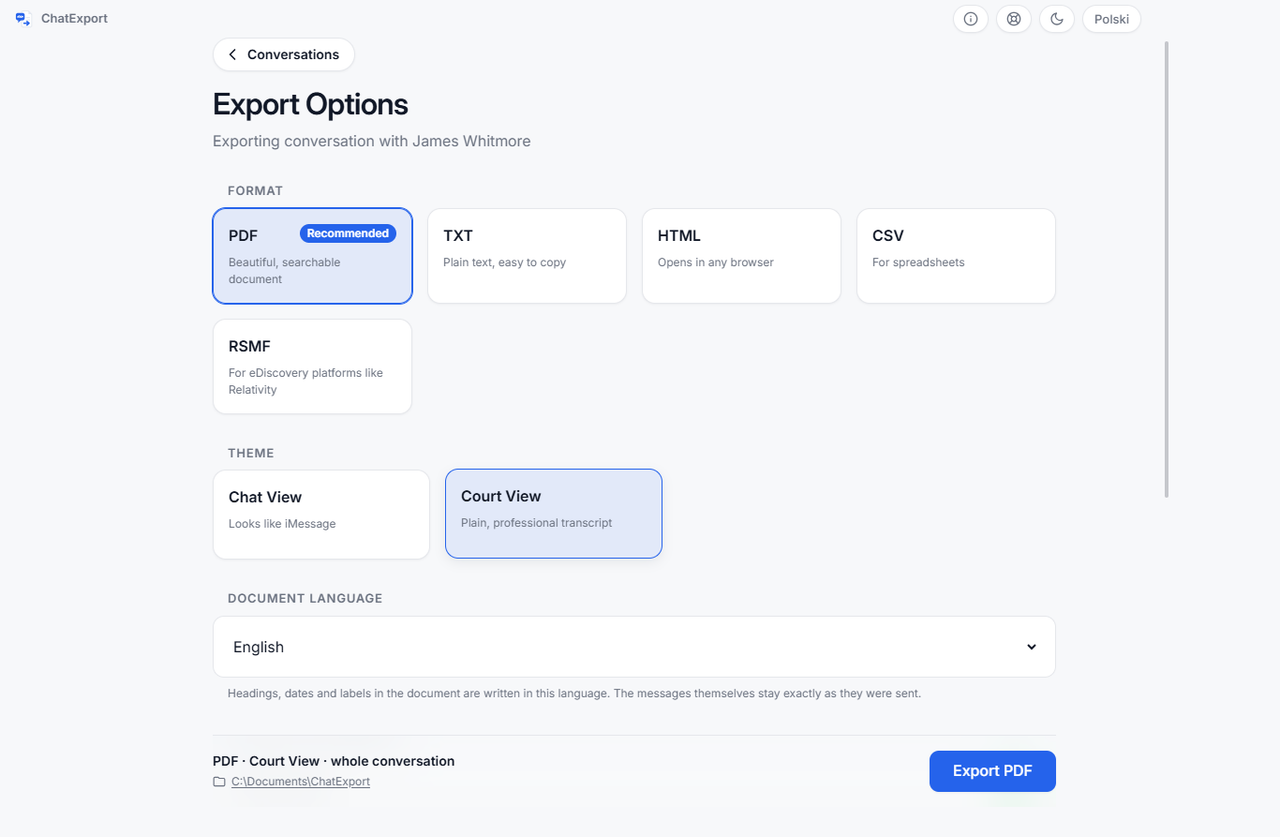
If you need one conversation as a document that has to survive being questioned, pick something that reads the database, export the whole thread rather than a date range, and keep the backup folder. That is the case this program was built for, and exporting iPhone messages for court is the long version.
If you want a phone manager that also exports messages, iMazing, iExplorer and TouchCopy do far more than this program will ever do: app data, ringtones, photo libraries, device migration. Exporting messages is one item on a long menu. Buying a specialist for a job a generalist already does for you is a waste of money, and buying a generalist for the one job it does adequately is the other kind of waste.
If you are on a Mac, this program does not run there yet and pretending otherwise would waste your afternoon. Decipher, iMazing, TouchCopy, iExplorer and AnyTrans all do.
If the conversation is on Android, only the WhatsApp path applies, because that file is written by WhatsApp rather than by the phone. Android SMS is outside every program in this table that reads an Apple backup, this one included.
If you want it done on the phone itself, with no computer, the two iPhone apps, TextPort and TextKeep, are the only option, and both build the document on their own servers rather than on your phone. For a birthday message that is a fair trade. For a hearing, weigh it first, and screenshots versus an exported document sets out what a picture of the screen cannot carry that the message database keeps.
Which two are you choosing between?
Most people arrive here holding two names rather than eleven, usually because somebody recommended one and a search result offered the other. Those pairs get a page each, since the decision between two products is rarely the decision this table answers:
- TextPort vs iMazing is a gap the price tags do not show: where the conversation is processed, and whether an encrypted backup can stay encrypted.
- iMazing vs AnyTrans turns on encrypted backups. One opens a protected backup with the password; the other’s guide asks you to switch the protection off first.
- iMazing vs Decipher TextMessage is the subscription question in its plainest form: a whole phone manager rented yearly, against a message exporter bought once.
- iMazing vs TouchCopy compares two licences counted in different units, five devices against two computers, which is the one sum a reader cannot do from two price tags.
- Decipher TextMessage vs TouchCopy is for readers who have already ruled out renting: two purchases forty dollars apart, and a question about scope between them.
Frequently asked questions
Does exporting messages need the phone to be plugged in?
Only for the backup, and only once. Every program that reads a backup works from the folder afterwards, so the phone can go back in your pocket. CopyTrans Contacts and MobileTrans are the exceptions in this table: both talk to the device for the export, so the cable stays until it is done. On the day the phone is broken, sold or in someone else’s hands, CopyTrans cannot help you at all, while MobileTrans keeps one road open, because its separate Restore module reads an iTunes backup already on the disk. PhoneView does both, reading either the connected phone or an iTunes backup already on the Mac. That trade, the cable against a backup that outlives the phone, is the whole subject of the CopyTrans Contacts alternative for the day the phone is not in your hand.
Can any of these recover deleted messages?
Only within a narrow window, and only from where they still exist. iOS 16 and later keep recently deleted messages recoverable for about thirty days, and a backup made during that window still contains them. Nothing here reads what is not in the file: a message deleted before the backup was made, on a phone with no older backup, is gone, and a program that promises otherwise is selling you something it cannot deliver.
Do these programs work with WhatsApp as well?
iMazing, TouchCopy, CopyTrans, AnyTrans and MobileTrans say they do, and PhoneView’s manual lists WhatsApp messages beside iMessage and SMS as one of the things it reads. Decipher sells that separately, as Decipher Chat.
iExplorer is the one to be careful about, in both directions. Its feature pages and its message export page do not mention WhatsApp at all, so it is not something the product is sold on. Its support portal, on the vendor’s own domain, has articles titled “Exporting WhatsApp Messages Using iExplorer” and “Recover Deleted Messages from WhatsApp”, but that portal serves no readable text to anything but a browser and has never been archived, so what those articles actually say could not be established on 4 August 2026. Treat it as unresolved rather than as a yes or a no, and ask them before buying it for that. The rest of that purchase, including the second question its vendor’s pages do not answer, is in the iExplorer alternative for Windows.
This program reads WhatsApp’s own export file rather than the phone, which is why it is the one route here that works from an Android handset.
What does ChatExport cost?
The download is a free trial: it opens any backup, previews any conversation in full, and exports in every format, but a trial export watermarks each page and stops after the 50 most recent messages. A one time licence lifts both and is on sale now. There will never be a subscription, which after June 2025 is a sentence worth putting in writing.
Why is there no macOS version?
Because the Windows user is the one nobody serves. A Mac signed into the same Apple ID, with message syncing on, has the conversation in the built-in Messages app and can print from it. A Windows user has an iPhone full of messages and no supported way to read them, which is the gap this was written for. macOS is a real gap here and the FAQ on this site has said so from the first day.
Before you install anything, look at what the finished document is supposed to be. The sample exports are real output from this program, produced by the export pipeline itself over an invented custody dispute, so you can open the PDF, scroll a real transcript, and see the title page, the timestamps and the checksum before you decide whether any of this is worth your time.