A PhoneView alternative for Windows, for a program that only ever ran on a Mac
PhoneView has no Windows version and never had one its manual knows of: the manual names one requirement, “Mac OS X 10.12 or newer”. As of 12 September 2026 it is not sold for the Mac either. Its store address answers with a redirect to the maker’s support site, the maker’s product list does not name it, and the maker’s own download page sends Windows users to a different company’s program. So a search for a PhoneView alternative for Windows usually has one of two reasons behind it: a Mac that is gone, with PhoneView on it, or an older article that recommended PhoneView to somebody who then found it will not install. This page covers the status, what PhoneView did, what reads an iPhone backup on Windows instead, and what a Mac owner can still turn to.
Is PhoneView still available?
Not for sale and not advertised, as of 12 September 2026, though still downloadable and still documented. Four things checked on the maker’s own addresses, on 11 and 12 September:
ecamm.com/cgi-bin/store?prod=phoneview, the store address for the product, answers with a redirect tosupport.ecamm.com. There is no checkout behind it.- The home page of
ecamm.comnames Ecamm Live, iGlasses and CardRaider. The word PhoneView does not appear on it, and the support site carries no notice of withdrawal. ecamm.com/cgi-bin/downloadcheck?prod=phoneviewstill shows a page titled Download PhoneView, with a link toPhoneView.zip, and a line pointing Windows PC users to CopyTrans instead.- The manual,
downloads.ecamm.com/PhoneView.pdf, still opens: fourteen pages, with a copyright line running from 2007 to 2019.
The price it once sold for appears on no Ecamm page today, and this page does not quote it from anyone else. A flat statement that PhoneView was discontinued in April 2025 circulates on other sites without a date or a source of its own. The maker has not said it on its home page, its support site, its store address or its download page, which is the list this page checked, so the honest status is the one in the four bullets above.
What did PhoneView do, and where did it read messages from?
From the connected phone, by cable or Wi-Fi, and separately from an iTunes backup stored on the Mac. The manual’s own first sentence:
PhoneView is a Mac application for accessing iPhone, iPad or iPod touch iMessages, SMS/MMS, WhatsApp messages, recent calls, contacts, voicemails, shared app data, Safari web bookmarks and web history, iTunes media, photos, books, notes and voice memos.
The two roads to the messages are described separately. With the phone attached, “PhoneView will save your messages each time the iPhone is connected and PhoneView is opened”, building an archive of its own on the Mac. Without the phone, “if you back up your iOS device to your Mac using iTunes, PhoneView will allow you to view and archive messages from the iTunes backup”, with the caveat that “this feature will not [work] if you back up to iCloud instead of your Mac”. A setting decides whether Messages mode shows Messages or WhatsApp. Exports land as PDF, text, tab-delimited, CSV or XML, with an option to save attached media beside the file.
On encrypted backups the manual says one thing, and it is about call logs rather than messages: “As of iOS 13, encrypted backups must be turned on in order for PhoneView to access your Call Logs.” What it does with messages from an encrypted backup it does not say, so neither does this page.
Both of PhoneView’s roads lead to Apple’s own message data, so its timestamps and numbers came from the record rather than from whatever a window was showing. That is the property the comparison of the best iPhone message export software of 2026 is organised around, and PhoneView sat on the same side of it as the programs below.
What reads the iPhone’s messages on Windows instead?
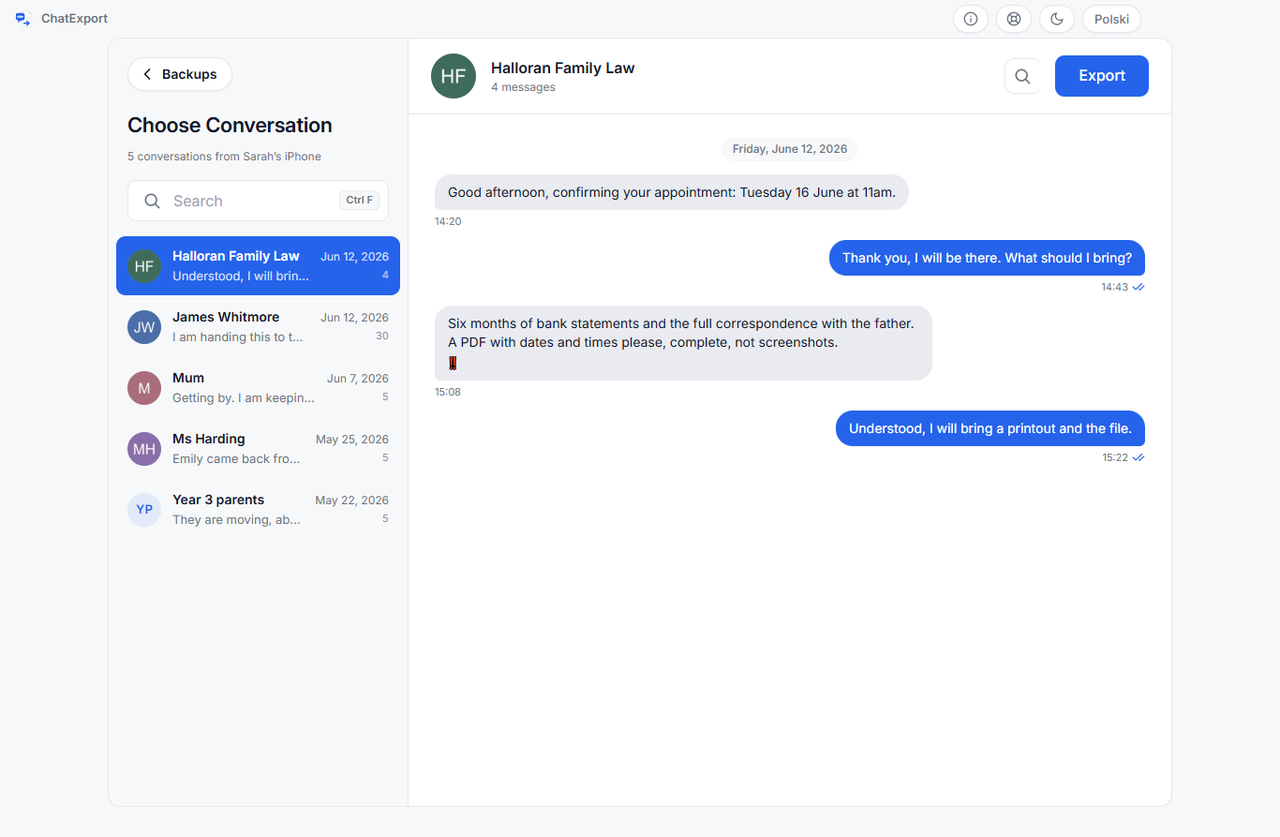
A program that opens the backup Apple’s own software already writes to the PC. ChatExport reads two things: an iPhone backup made by the Apple Devices app or iTunes, and the file WhatsApp writes when you choose Export chat, which WhatsApp produces the same way on an iPhone and on an Android phone. From either it turns one conversation into a document.
- Encrypted backups opened by password. Asked for at the backup, used for the run, never saved. A wrong password gets its own message rather than a crash.
- Photos and attachments in the document. Photos print in the PDF at the size you choose; a video, a voice message or a document the PDF cannot draw gets a named card in its place with the file name and size; the HTML export copies every attachment into a folder beside the file.
- Court View, if you choose it at export. A plain transcript with the sender on every line, message numbering so a line can be cited, full timestamps with seconds, and raw numbers beside contact names. The default Chat View is the informal layout and carries none of those marks.
- A checksum of the finished file, on screen and in a small
.sha256file beside the export, and a Document Integrity page that names the message database itself by its SHA-256 as it sits in the backup. - Recently deleted messages on iOS 16 and later, within the window Apple gives as 30 to 40 days, as a switch that is off by default.
- Five formats: PDF in three styles, TXT, HTML, CSV and RSMF.
Where the two programs start is the difference to know before installing anything. For Messages, ChatExport reads the backup and never the connected phone: Apple’s software makes the backup, and the phone is not in the process after that. PhoneView could read the handset directly. A Windows program that does the same over the cable exists, and Ecamm’s own download page names it: CopyTrans. The trade between the two roads, a cable against a backup that still opens on the day the phone is broken, sold or handed back, is the subject of the CopyTrans Contacts alternative for the day the phone is not in your hand.
What did PhoneView do that ChatExport does not?
Everything on its list except messages: a call log as a list of its own, voicemails, contacts, notes, Safari bookmarks and history, photos, iTunes media, books, voice memos, shared app data, and a Disk mode that used the phone as storage. None of that is here or planned, because this program exports conversations and nothing else. The one overlap is narrow: from an encrypted backup, ChatExport can place the calls with one person between the messages of that conversation, which is a record of the conversation rather than a call log. Three smaller differences follow from the same narrowness. PhoneView read WhatsApp from the connected phone through a setting; ChatExport takes WhatsApp’s own export file, and how to export a WhatsApp chat to PDF says what that file does and does not carry. PhoneView could connect to the phone wirelessly; here the backup is made by Apple’s software, on its terms. And PhoneView ran on a Mac, which ChatExport does not.
What can a Mac owner who has lost PhoneView do?
Not install ChatExport, which is a Windows program and will not run on a Mac. Three routes remain.
Messages on the Mac prints a conversation itself. If the thread is on the Mac, open Messages, select the conversation, press Command and P, and print or save as PDF. The thread is on the Mac only if Messages in iCloud is set up for the account, and on a long thread Messages loads the history as you scroll, with no indication of how much is left. It prints what was scrolled into view, with the timestamps the window was showing.
Other programs in the category run on macOS and read the backup. In the comparison table, checked on 4 August 2026, Decipher TextMessage, iMazing, TouchCopy, iExplorer and AnyTrans all list macOS. Two carry a caveat from their own vendors, checked the same day: iMazing’s licensing page says “In June 2025, we discontinued the device license and now only offer subscriptions”, and AnyTrans’s guide asks you to “kindly uncheck encrypted backup first”. The table is the place to choose between the five.
Carry the backup to a PC. A Mac makes local backups too, in Finder, and
Apple’s page on
locating backups puts them at
~/Library/Application Support/MobileSync/Backup/. On Windows that page names
only the start of the path, %USERPROFILE% for the Apple Devices app; the
folder Apple’s software creates there is \Apple\MobileSync\Backup, which is
this site’s own reading of a PC rather than Apple’s sentence. Copy the device’s
folder from the Mac into that folder on the PC and ChatExport lists it beside
any backup made there. An encrypted backup needs its password on either
machine. The folder holds what the phone held locally on the day of the
backup, which with Messages in iCloud on can be less than the whole thread,
per Apple’s page on
backup methods.
PhoneView and ChatExport side by side
The left column comes from PhoneView’s manual, which you can open at the address above; the right column describes ChatExport as its free trial lets you check it, and its source is the program itself.
| PhoneView | ChatExport | |
|---|---|---|
| Runs on | Mac OS X 10.12 or newer | Windows 10 and 11 |
| Reads messages from | the connected device by cable or Wi-Fi, or an iTunes backup on the Mac | an Apple backup on the PC, or WhatsApp’s own export file |
| Encrypted backups | the manual mentions encryption only for call logs, iOS 13 and later; nothing stated for messages | opened with the password, which is used for the run and never saved |
| Formats | PDF, text, tab-delimited, CSV, XML | PDF in Chat View, Court View or Book View, TXT, HTML, CSV, RSMF |
| Attachments | saved beside the file as an option | photos in the PDF, named cards for what a PDF cannot draw, media beside the HTML |
| Checksum of the document | not mentioned in the manual | a .sha256 file beside every export, and the source database’s SHA-256 on the Document Integrity page |
| What you get before paying | not published; the product is not on sale | the whole thread readable on screen, one click past the newest 300 messages; an export of the 50 most recent, watermarked |
| Sold today | no, checked 12 September 2026 | yes, a one-time licence |
The rows that say “not mentioned” are facts about a manual last revised in 2019, for a product sold since 2007, not verdicts on a program.
Frequently asked questions
Is PhoneView discontinued?
Its maker has not said so on its home page, its support site, its store address or its download page, all checked on 12 September 2026. What can be said with dates: the store address redirects to the support site, the product is absent from the maker’s product list, the manual is still served, and the download page still hands out the installer while pointing Windows users elsewhere. The statement that it was discontinued in April 2025 circulates on other sites without a source.
Does PhoneView work on Windows?
No. The manual’s system requirements are an iPhone, iPad or iPod touch and “Mac OS X 10.12 or newer”, and the maker’s own download page sends Windows PC users to a different program. A Windows user who was recommended PhoneView needs something that, like PhoneView, reads the phone’s own message data, and the two roads to that on Windows are the cable and the backup.
Can ChatExport open the archives PhoneView saved on my Mac?
No. ChatExport reads an Apple backup and WhatsApp’s export file, and PhoneView’s message archive is neither. Two things still help. Any PDF, text or CSV that PhoneView exported is an ordinary file and opens anywhere. And the messages themselves are still on the phone unless they were deleted, so a fresh backup made on the PC with Apple’s software contains them, as far back as the phone holds them. How to make that backup, without iCloud anywhere in the picture, is how to back up iPhone text messages to a PC without iCloud.
What does ChatExport cost?
The download is a free trial: it opens any backup in the folder Apple’s software uses, shows the whole thread on screen one click past the newest 300 messages, and exports in every format, with a watermark on every page and a stop after the 50 most recent messages until there is a licence. The one-time licence is on the pricing page, and it can be bought there. There will never be a subscription.
The sample exports are ChatExport’s output over an invented custody dispute, so you can open a Court View PDF, check the timestamps and the checksum page, and compare it with what PhoneView used to hand you.