TextPort vs iMazing: which one reads an encrypted backup, and what each costs
If you are comparing TextPort with iMazing, the two are not competing at the same thing, and the difference is not only the price. TextPort’s iPhone app reads the conversation on the phone and builds the document on the vendor’s servers, by its own account. TextPort for Windows, free and with no account, reads an iPhone backup on your PC, but only an unencrypted one. iMazing reads the message database out of an iPhone backup, encrypted or not, on your machine. Which TextPort you mean decides where your conversation goes and whether your backup has to lose its protection first, so it is worth settling before anything is paid for.
Where does each program get the messages?
TextPort’s iPhone app reads them on the phone and finishes the job elsewhere, and its Windows app reads an unencrypted backup on your PC. Re-read on 3 and 4 October 2026, its site says the iPhone app “pulls it straight out of iMessage”, and its safety page says it “uses secure cloud processing to build the clean, timestamped export”. So the input is the conversation on your own device and the output is assembled on servers you do not control.
That is a change from what this page said before, and the date matters. Read on 4 August and again on 11 September 2026, the vendor described recording the screen as you scroll. That description is not on the vendor’s site now. What has not changed is the constraint underneath: an app running on the iPhone cannot read the message database, so it has to work from what the system will hand it and finish the document somewhere else.
Its desktop apps are a different route, and the vendor now settles it, re-read on 15 October 2026: “TextPort for Mac exports the Messages on your Mac, and TextPort for Windows exports from an iPhone backup.” On Windows, “your messages never leave your computer”, and “TextPort reads unencrypted backups. It checks your iPhone for you and, if encryption is on, walks you through turning it off.”
iMazing takes the backup route too. Its messaging data is pulled from an iTunes or iMazing backup, which means it opens the database Apple’s own backup already wrote, and the export is a rendering of stored records rather than of displayed pixels.
So on a Windows PC both read the same kind of file. The difference there is whether that file may stay encrypted.
What does that change in the finished document?
Less than it did when this page was written, because TextPort no longer describes working from the screen. The table is kept because it is the limit of any route that does: everything a message carries beyond its visible text, because the screen never displayed most of it in the first place.
| What the source can carry | From a screen recording | From the backup database |
|---|---|---|
| The words of each message | yes | yes |
| Sender and direction | yes, as laid out on screen | yes, from the record |
| Timestamp | the ones the app chose to display | the stored time of each message |
| Messages you scrolled past too fast | no | yes |
| Attachments as files | no, only as they appeared | yes, as the files themselves |
| Edited and unsent messages | whatever the app shows today | recorded as edits and deletions |
| Read and delivered receipts | no | yes |
| A conversation nobody has to scroll | no, the scroll is the capture | yes, the whole thread at once |
The column is about the source, not about any one program: what a given export prints from the database is each vendor’s own choice, and the point of the comparison is that the recording never had most of it to begin with.
The row that matters most is the third. Messages displays a timestamp above a group of messages rather than beside every one of them, so a recording captures the times the interface decided to draw. A database read has a time for each message because each message was stored with one.
The second row that matters is the last. A capture that depends on scrolling is a capture whose completeness depends on the hand that scrolled, and a thread of several thousand messages is exactly where that becomes a real problem rather than a theoretical one.
Which one is cheaper, over the time you will actually use it?
Neither sells a licence you keep, and that is the honest headline for both, though TextPort’s desktop apps cost nothing at all.
| TextPort | iMazing | |
|---|---|---|
| Price, checked 4 Aug 2026 | iPhone app from 4.99 USD/week to 59.99/year, several tiers at once; desktop apps free (15 Oct 2026) | 49.99 USD/year for five devices, 29.99 for one (15 Oct 2026) |
| Model | desktop free, no account; iPhone app a subscription in app (15 Oct 2026) | subscription only, since June 2025 |
| Perpetual option | no | no, discontinued |
| Free version | desktop apps free; iPhone app, first three conversations imported free (15 Oct 2026) | 25 messages, and 25 WhatsApp messages |
| Runs on | iOS, Windows, macOS | Windows, macOS |
iMazing’s position is the vendor’s own sentence, and it is the reason a lot of two year old advice about buying it once is now wrong:
In June 2025, we discontinued the device license and now only offer subscriptions
TextPort’s pricing is stranger and worth naming for what it is. Several price points ran at once when this was checked, from 4.99 USD a week up to 59.99 a year. A vendor running several prices for one product at the same time is testing what people will pay, not publishing a price list, so whatever you are quoted may not be what the next person is quoted.
One more thing about TextPort, because it explains why it appears higher in search results than a new product usually would. The domain has been continuously registered since September 2007, but the export product now sitting on it first appears in web archives in March 2026. An old address, a very new product.
Where does this program stand next to them?
Same input as iMazing, different pricing from both, and a much narrower job than either.
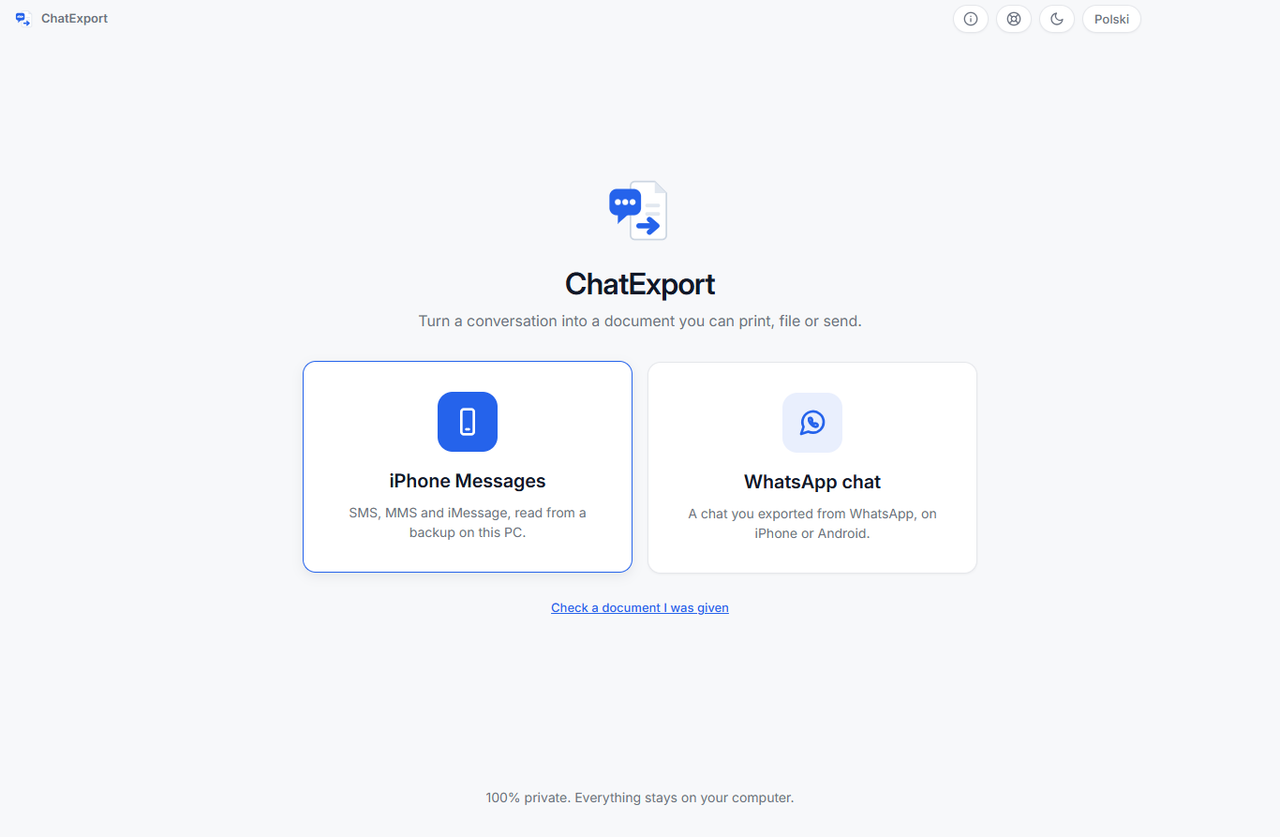
ChatExport reads an Apple backup and turns one conversation into a document. It does not manage a phone, move photos or restore anything, and it does not record your screen. What the narrowness pays for is the document:
- Court View, a formal layout chosen at export, with message numbering down the margin so a line can be cited by number, timestamps to the second and raw phone numbers printed beside contact names.
- A SHA256 checksum of the finished file, written beside the export, so anyone can re-check later that the document has not changed since. What that does and does not prove is set out in how to verify a PDF with SHA256 in 30 seconds.
- Encrypted backups read directly, with the password asked for at the backup and never written to disk.
- Five formats: PDF in three styles, plus TXT, HTML, CSV and RSMF. iMazing sells RSMF too, in its Business tier, from 89 USD a year for two devices on 15 October 2026.
- One payment, 34.99 USD, and no subscription ever.
The trial is free and stops after the 50 most recent messages with every page watermarked, which is a smaller free tier than it sounds and a larger one than iMazing’s twenty five: the whole thread is readable on screen before you pay for anything.
When should you pick each of the three?
Pick TextPort if the conversation is on a phone you can hold and scroll, you have no computer in the picture, and a readable transcript is all you need. It is the only one of the three that runs on the phone itself, and that is a real advantage when there is no PC available. Pick its Windows app if your backup is not encrypted and iMessage and SMS are all you need: it is free.
Pick iMazing if you want a phone manager rather than an exporter. It backs up and restores devices, manages apps, moves photo libraries, handles voicemail and supervises fleets, and it runs on macOS. If you want one program for everything an iPhone needs from a computer, buy it, and this page will not pretend otherwise.
Pick this one if you are on Windows, the job is one conversation, and the document has to answer questions later. That is the narrow case, and it is also the most common reason people go looking for this category at all.
What this comparison cannot settle
Three things, and pretending otherwise would make the rest of the page worth less.
Whether any of these exports is accepted anywhere. That is decided by the court, tribunal or employer reading it, on their own rules. A document that carries stored timestamps and a checksum answers more questions than one that carries neither, and that is the whole of the claim being made here.
What either program costs you today. Every figure above carries its check date, 4 August or 15 October 2026, and TextPort was visibly testing prices when it was checked.
Whether iMazing opens a backup this program made, or the reverse. This program scans the two standard Apple backup folders on Windows and nowhere else, so a backup another tool keeps in its own location is not found. The reliable route in either direction is a backup made with Apple’s own software.
Frequently asked questions
Does TextPort need a computer at all?
No, and that is its genuine advantage. Its iPhone app reads the conversation on the phone and, by the vendor’s account, builds the export with cloud processing. It also has free desktop apps, and the Windows one reads an unencrypted iPhone backup on the PC. iMazing and this program both need a computer and a backup, which is a slower start than the phone app.
Can iMazing read an encrypted iPhone backup?
Yes. So can this program, and so can Decipher TextMessage and TouchCopy. TextPort for Windows does not: re-read on 15 October 2026, it “reads unencrypted backups” and walks you through turning encryption off. AnyTrans’s own guide tells you to switch encryption off first too, which is covered in an AnyTrans alternative that asks for your backup password instead.
Is a screen recording worth less than a database export?
It carries less, which is not the same sentence. A recording holds what the phone displayed: the words, the layout, the timestamps the interface drew. A database export holds what the phone stored, including per message times, receipts, edits and the attachments as files. Which of those matters depends entirely on what you are being asked to show.
Does either of them work with WhatsApp?
Both do, by different roads. iMazing reads WhatsApp out of the phone backup. This program reads WhatsApp’s own export file, which is slower to set up and works from an Android handset as well, because the file is written by WhatsApp rather than by the phone. The full route is in how to export a WhatsApp chat to PDF.
Which is better for a very long conversation?
Not a capture by scrolling, and none of the three describes one any more; TextPort did when this page was first written. A capture that depends on scrolling scales with your patience; a database read takes the thread whole, and the export is bounded by the date range you choose rather than by how far you scrolled.
The whole category side by side, including the programs that do not read the database at all, is in the best iPhone message export software of 2026. For the pricing question on its own, the iMazing alternative for Windows takes apart what the subscription changed.
Before paying anyone here, open a finished document. The sample exports are this program’s real output over an invented custody dispute, so the Court View layout, the timestamps and the checksum page are all readable without installing a thing.