Fix "image omitted" in a WhatsApp chat export
The line “image omitted” in a WhatsApp export means the export itself does not contain the picture: WhatsApp asked whether to attach media, the answer was no, and it wrote that line where each photo would have gone. The messages are all still there, the media is not, and no converter can put back what the file never held. The fix is to export the conversation again and attach the media this time.
What does “image omitted” actually mean?
It means the person exporting chose Without media, or tapped past the question without noticing it. WhatsApp writes the conversation out as a transcript either way; the choice only decides whether the photos, videos and documents travel alongside it. Without them, every one of those becomes a placeholder line in the text, and a converted PDF faithfully shows exactly that, because a document that invented pictures would be worse than one with honest gaps.
You can tell which export you are holding without opening it:
| What you got | What it means |
|---|---|
A .zip file | Media came along. The transcript and the files are inside together |
A bare .txt file | Text only. Every photo in the conversation is a placeholder line |
How do you get the photos back into the export?
Export again. It costs about a minute and does not touch the conversation itself.
1. Export the chat once more
In WhatsApp on an iPhone, open the conversation, tap its name at the top, scroll down and choose Export chat. On Android the same command sits in the chat’s three dot menu, under More. When the media question appears, choose to attach it.
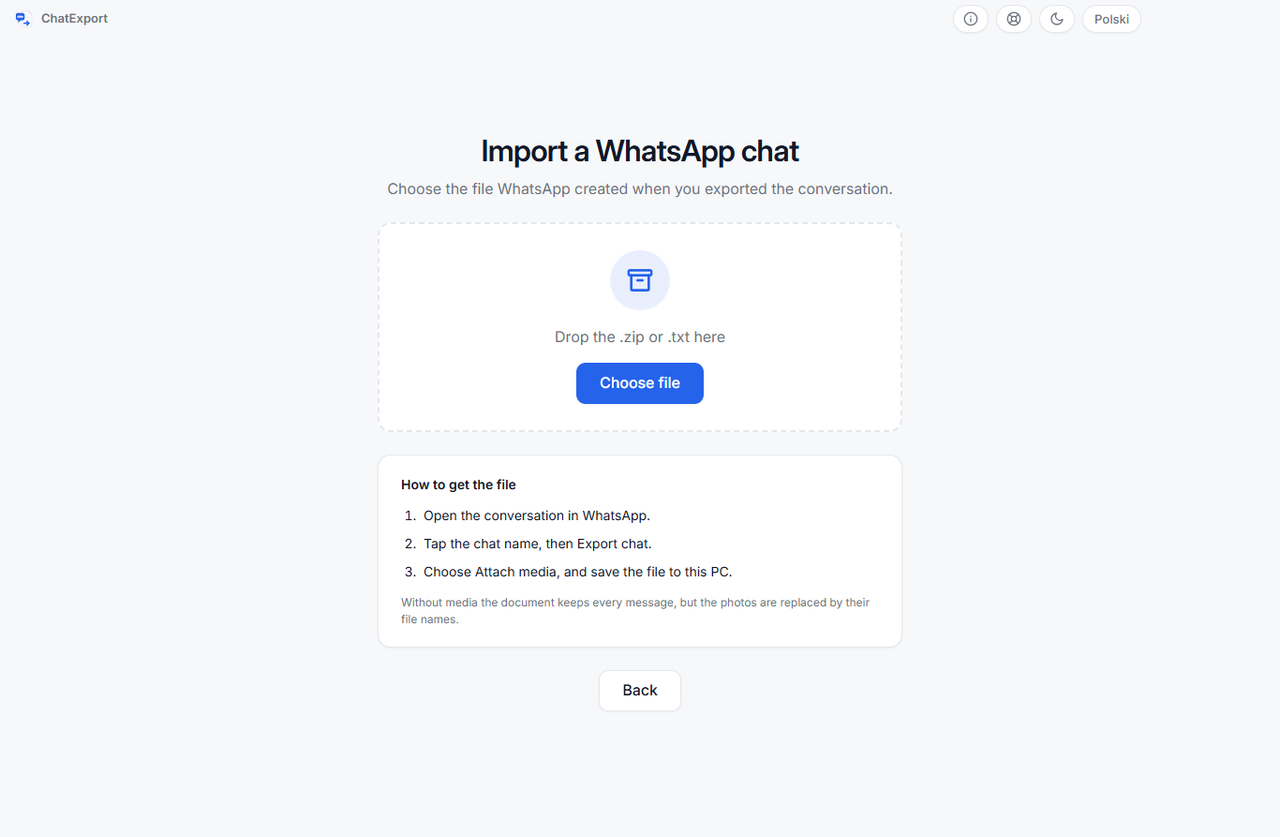
2. Send the new file to the computer
Email it to yourself, drop it into a cloud folder, or connect the phone and copy it across. This
time it arrives as a .zip. Do not unzip it and do not rename it: the converter expects the
archive as WhatsApp wrote it, and its name and fingerprint end up cited in the finished document.
3. Check the counts before you convert
When the file opens in ChatExport, the import screen counts what actually arrived: how many photos and files came, and how many are named in the conversation but absent. That second number is the honest one to look at before you export anything, because files that are missing stay marked as missing in the document rather than being quietly skipped.
When does re-exporting not bring a photo back?
Three cases, and they are different in kind.
The conversation is very long. WhatsApp caps how much a single export may contain, and
attaching media lowers that cap sharply. What falls off is the oldest end of the conversation, so
on a long history the early photos can be left out even when you chose to attach media, and the
messages around them can be missing too. That is WhatsApp’s limit, not the converter’s, and there
is no way around it from this side: the export offers no date range, so exporting just the older
stretch instead is not on the menu. Open the .txt and read the date on its first line to see
where your export actually begins.
The file is no longer on the phone. A photo that was never downloaded, or that WhatsApp’s storage management cleared to free space, is not on the device to attach. View once photos behave the same way by design. In each case the conversation still names the file, so it shows up as missing rather than as something a second export will recover.
The message was deleted before the export. An export contains what the conversation holds at the moment it is made. A photo deleted earlier is not in the file, and nothing can read what is not there.
If the photos matter to a document that has to hold up, the counts on the import screen tell you where you stand before anything is exported, and the complete guide to exporting a WhatsApp chat to PDF covers what the finished document says about its own source, what a WhatsApp export cannot carry at all, and whether that is enough for court.