How to archive text messages on an iPhone, when Messages has no archive button
There is no archive in Messages on an iPhone. You can delete a conversation, pin it or silence its alerts, and nothing moves it to a folder where it waits. So archiving text messages on an iPhone means three separate things: keeping the messages on the phone, which is one setting; keeping a copy off the phone, which is a backup on a computer; and keeping a document you can open and search in ten years, which is an export. The order below is the order of urgency, because the first one decides what the other two can hold.
Is there an archive folder in Messages?
No. Among what Messages offers are delete, pin, hide alerts, mark as unread and a set of filters for the conversation list; a deleted conversation goes to Recently Deleted, which Apple documents as 30 to 40 days on iOS 16 and later, and then it is gone. The one place the word archive is real on an iPhone is WhatsApp, which keeps an Archived list above its chats, per its own help page. Messages has no equivalent.
If you are here because a conversation you never deleted has vanished from the list, the places it can be are in how to find archived text messages on an iPhone, and one of them has a clock on it.
The setting to check first: Keep Messages
Apple’s iPhone User Guide places it under Settings, Apps, Messages on recent iOS, and under Settings, Messages before that, below Message History, with three choices: 30 Days, 1 Year and Forever. The guide says that with anything other than Forever, conversations including their attachments are removed automatically once the period passes.
What to do depends on what yours says. If it says Forever, nothing is being removed and this section is done. If it says 30 Days or 1 Year, the phone has been deleting the old end of every conversation, silently, since the day it was set, and no backup made after a deletion contains what it removed.
Setting it to Forever stops the deletion from continuing. It does not undo what already happened, and no program will. That is why this setting comes before the backup: a backup preserves what the phone holds on the day it runs, and this setting decides what that is.
Does iCloud count as an archive?
No, in the sense that matters. Messages in iCloud is a sync, not an archive: your threads exist in iCloud and on every device signed in to the account, and a deletion on one of them deletes everywhere, into the same Recently Deleted window of 30 to 40 days. It keeps messages available; it does not keep them safe from you.
iCloud Backup is a snapshot of the phone, and Apple’s page on what iCloud backs up says that with Messages in iCloud on, “your messages automatically sync to iCloud so they aren’t included in your daily backup”. The same exclusion reaches a backup made on a computer, on Apple’s separate page on backup methods: a computer backup does not include “data already synced and stored in iCloud, like iCloud Photos, iMessages, and text (SMS) and multimedia (MMS) messages”. Neither gives you a file, and neither can be opened from a Windows PC.
For the backup step below that has one consequence: with Messages in iCloud on, a computer backup holds only what the phone had fetched locally, which can be shorter than the conversation you remember. Switching the sync off on the phone brings the messages back onto the device, through a dialog that offers to keep them; scrolling the conversation back on the phone fetches the part you scroll through, which is practice rather than anything Apple documents. Are text messages saved in iCloud has the settings path for each iOS version and both routes.
Archiving off the phone: the local backup
Connect the iPhone to a computer with a cable and let Apple’s own software, the Apple Devices app or iTunes, write a backup to the disk. It needs no account and no internet, and it holds the messages the phone itself held that day, with the photos in the threads, subject to the Messages in iCloud caveat above. Every label and every step is in how to back up iPhone text messages to a PC without iCloud.
Encrypt it or not, knowingly. Apple’s page on encrypted backups says encryption adds your saved passwords, Wi-Fi settings, website history, Health data and call history; the messages are in the backup either way. An encrypted backup is also unreadable to anyone who copies the folder, which on a shared computer is the point. The cost is the password. Apple says that with it forgotten, you won’t be able to use previous encrypted backups, and the program that reads the backup will ask for it every time. Write it down somewhere that will outlive the phone.
One thing about the folder decides whether it is an archive or merely a backup. Each device has one backup folder under Apple’s location, and the next backup updates it in place, so what sits on your disk is the state of the most recent backup, not a history of them. A message deleted in April would be in the March backup, if the March backup still existed, and it is not in the June one. If you want a moment kept, copy the device’s folder somewhere else before the next backup runs.
On Windows that folder is under %USERPROFILE%\Apple\MobileSync\Backup for the
Apple Devices app and iTunes from the Microsoft Store, or
%APPDATA%\Apple Computer\MobileSync\Backup for the older iTunes; on a Mac,
under ~/Library/Application Support/MobileSync/Backup/. What is inside is
unreadable without a program that understands Apple’s format, which is the
reason for the third layer.
An archive you can open in ten years
Export the conversation from the backup into ordinary files. Ordinary is the point: a PDF opens in any viewer, an HTML file in any browser, a CSV in any spreadsheet and a TXT in any editor, none of them needing this program or any program from this company. That is the difference between an archive and a backup folder only one kind of software can read. On Windows, ChatExport turns one conversation from the backup into:
- A PDF, in Chat View or Court View, with the photos at the size you choose, a named card for a video or a voice message it cannot draw, a time on every message, a title page stating the span it covers and the time zone, and a table of contents with bookmarks by month.
- An HTML file with a folder beside it holding the photos and attachments, which opens in any browser and can be searched with the browser’s own find command. Keep the file and the folder together.
- A CSV for a spreadsheet, with fourteen columns including whether a message was edited, unsent or recovered from Recently Deleted, and a TXT for quoting.
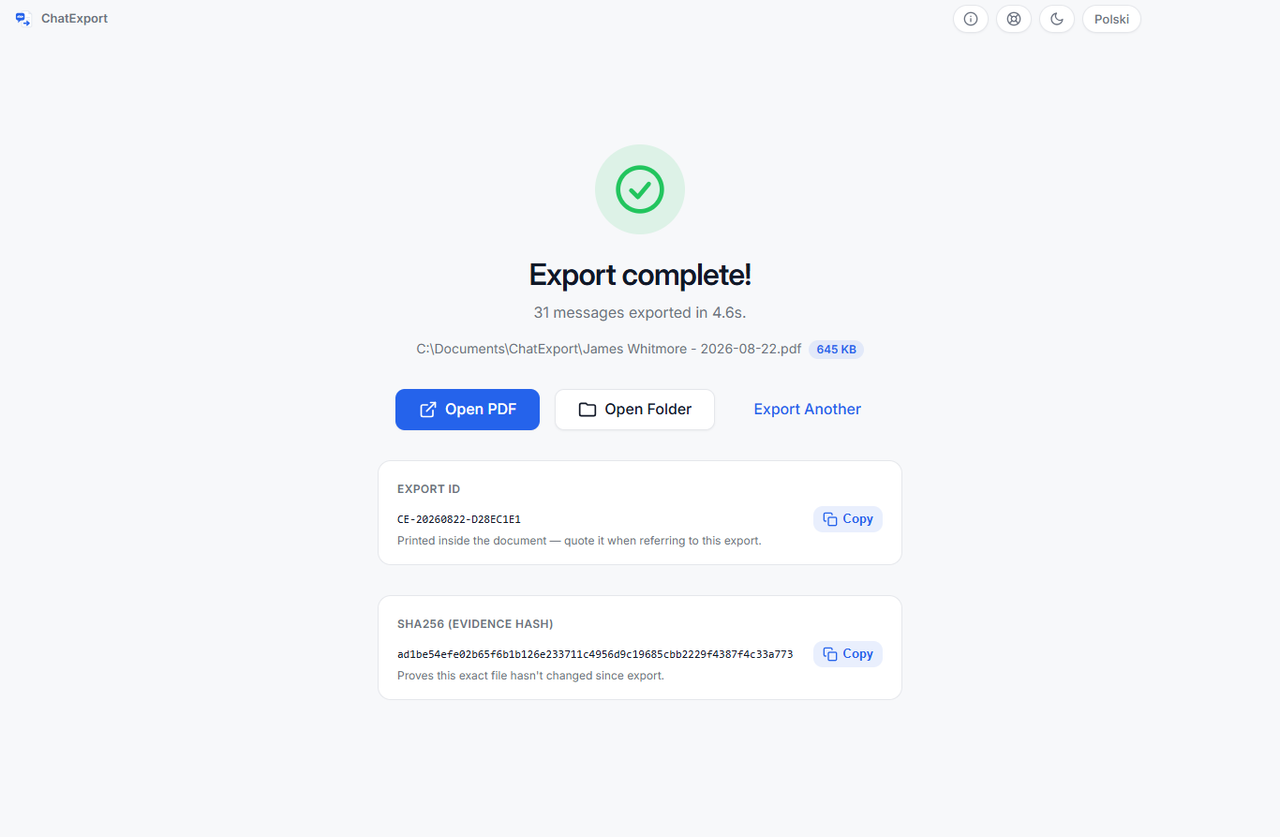
Each export writes a small .sha256 file beside it, a fingerprint of the
finished file, and the PDF carries a Document Integrity page naming the device,
the iOS version, the backup date and the SHA-256 of the message database as it
sits in the backup. Ten years from now, certutil -hashfile "file.pdf" SHA256
in a Windows Command Prompt, a command that ships with Windows, prints the
file’s fingerprint to compare with the one in the sidecar, and
how to verify a PDF with SHA256 shows
the whole exchange with the PowerShell equivalent. A checksum compares bytes,
not intentions: it shows the file is the one that was made, and nothing about
who wrote the messages.
Two switches on the export screen matter for an archive. Recently deleted messages on iOS 16 and later, within the window Apple gives as 30 to 40 days, can be included and are marked with the date of deletion; the switch is off by default because they are not part of the conversation as the phone shows it. The edit history switch spells out what an edited message said before, and marks messages their sender unsent, so the archive records that something stood there rather than closing the gap. All of this describes version 0.5.1, the build on sale in September 2026.
Finding something in the archive later
On the phone, Apple documents the search field in Messages and the trick of typing a name and choosing “Messages with” to limit the search to one person, in searching in Messages; it finds what the phone still holds. In ChatExport, search covers the whole conversation rather than the newest 300 messages it previews, and the counts it reports cover the entire thread. In the HTML, the PDF or the TXT, the find command of the browser, the viewer or the editor works on every word; in the CSV, a spreadsheet filter works on every column.
What no archive can hold
- Messages that Keep Messages already removed. Deleted at the source before any backup, they are in no file anywhere. The setting is the first section of this page for that reason.
- The text of an unsent message. What survives is the trace that it stood there and was withdrawn, with the edit history switch on.
- Messages deleted more than 30 to 40 days before the first backup. Past the Recently Deleted window, only an earlier backup has them, and if none exists, nothing does.
- Messages that exist only in iCloud and were never fetched onto the phone that was backed up.
- Messages on an Android phone. The one route from Android here is WhatsApp’s own export file, which this program reads; how to export a WhatsApp chat to PDF is that route.
Frequently asked questions
Will I need the backup password years later?
Yes, every time an encrypted backup is opened, by this program or any other, and Apple documents no way to recover it. The exported files are a different matter: a PDF, an HTML file, a CSV or a TXT carries no password and opens without this program, which is why the export is the layer that outlives everything else.
Is there a Mac version?
No. ChatExport runs on Windows. A Mac can still make the backup, in Finder, and
the device’s folder from ~/Library/Application Support/MobileSync/Backup/ can
be copied to a PC, where the program lists it beside any backup made there.
Does the PDF include photos and attachments?
Photos, yes, at the size you choose on the export screen. A video, a voice message or a document sent in the thread cannot be printed, so the PDF puts a named card in its place with the file name and size. The HTML export copies every attachment into the folder beside the file, which is the format to choose if the attachments themselves are what you are keeping.
Does deleting a conversation on the phone delete it from my backup?
Not from a backup that already exists. It disappears from the next backup you make, because each device has one backup folder that the newest backup replaces. Copy the folder elsewhere before backing up again if the earlier state matters, or export the conversation to a file, which no later backup touches.
Is a screenshot an archive?
It is a picture of part of a conversation, and as a stopgap taken this minute it beats losing the thread while you find a cable. What it drops is the time on each message, the number behind the contact name, the receipts, the edits and everything you did not capture, which screenshots versus an exported document sets out in full.
What does it cost?
The download is a free trial: it opens any backup in the folder Apple’s software uses, shows the whole thread on screen one click past the newest 300 messages, and exports in every format, with a watermark on every page and a stop after the 50 most recent messages until there is a licence. The one-time licence is on the pricing page, and it can be bought there. There will never be a subscription.
The sample exports are this program’s output over an invented custody dispute, in every format with a checksum beside each, so you can see what will still be readable when the phone is long gone.