Export iPhone messages with metadata on Windows: what the fourteen CSV columns hold
A CSV export from ChatExport carries fourteen columns, and they are the answer to what survives when
a conversation leaves the phone: timestamp, sender, is_from_me, service, text,
attachments, reactions, edited, deleted, edited_at, previous_versions, retracted,
recovered_deleted, deleted_at. Four of those describe a message somebody changed or took back,
and what survives in each case is
edited and unsent messages in an export.
Every one of them is a fact the backup recorded rather than
something reconstructed from a picture of a screen.
That distinction is the whole reason this page exists. A screenshot preserves what a conversation looked like. A database read preserves what it was, and the difference is visible as columns. What each of the fourteen holds, and the two that stay empty unless a switch is set first, is in the CSV export field reference.
What metadata does an iPhone message export actually keep?
Fourteen fields per message, written untranslated on purpose. The header row is machine identifiers
that a script or a spreadsheet formula refers to by name, so translating is_from_me into the
document language would break the tools this format exists for.
| Column | What it holds |
|---|---|
timestamp | When the message was sent or received |
sender | The raw handle, a phone number or an email address, not the display name |
is_from_me | Direction, as true or false |
service | iMessage, SMS or RCS as the backup recorded it, empty when it recorded nothing |
text | The message body |
attachments | Filenames, separated by semicolons |
reactions | Each one as kind:sender, separated by semicolons |
edited | Whether this message was edited after sending |
deleted | Whether the source marked it deleted |
edited_at | When the edit happened |
previous_versions | Each superseded wording on its own line inside the cell |
retracted | Whether the sender unsent it |
recovered_deleted | Whether it came out of the Recently Deleted store |
deleted_at | When it was deleted |
Two of those choices are worth naming, because they are the ones people notice afterwards.
sender holds the raw handle rather than the contact name. A CSV is the data format, and a
handle is unambiguous where a display name is not: contact names change, differ between devices and
collapse two people into one string when somebody is saved twice. The readable name belongs in the
PDF, which is the format made for a person to read.
service is empty rather than guessed when the backup did not record a transport. A blank cell
is a smaller problem than a confident wrong label, and it is the honest state for a message whose
source said nothing.
Why is there a column called service?
Because since iOS 18 a green bubble is no longer proof of SMS. It may be RCS, and the two are different systems that happen to share a colour on screen.
Anyone reading the conversation from a picture has only the colour to go on, so the best they can do
is guess, and the guess is now wrong some of the time. The backup records the transport per message,
so the export names it per message: iMessage, SMS, RCS, or nothing at all where nothing was
recorded. What the app does not do is fill that gap with an assumption, which is why an older backup
produces empty cells in that column instead of a plausible-looking answer.
If the phone in question is on iOS 18 or later and the green bubbles matter to you, what RCS messages look like on an iPhone covers the same change from the reader’s side rather than the file’s.
What happens to a message with no text?
It still has words, and they are in a different place. From iOS 16 Apple often leaves the text
column of the message database empty and stores the body inside attributedBody, a binary Apple
format in the same row.
This is the single most common way a message export comes out damaged. A tool that reads the obvious
column and stops returns rows with perfect timestamps, correct senders and no message. The
conversation looks complete until somebody tries to read it. ChatExport parses attributedBody
where the plain column is empty, which is why the text field in the CSV is populated on modern
backups rather than blank.
What do the timestamps mean?
They are the moment the message was recorded, normalised so that one file does not mix two scales.
The detail underneath matters if you ever open the raw database yourself. Apple counts from 1 January 2001 rather than from 1970, and the unit in that column changed: older backups store seconds, and from iOS 11 the same column stores nanoseconds. A reader that assumes one unit produces dates decades away from the truth on half the backups it meets, and produces them confidently.
What does the file say about where it came from?
Every export carries a document integrity page and a checksum, and neither is optional.
The integrity page names the device, the iOS version, the date of the backup, whether that backup was encrypted, and the SHA-256 of the source files exactly as they sit inside the backup, with a note recording that the backup was opened without writing to it. On an encrypted backup those digests can be recomputed by a third party without ever handing over the password.
Beside the exported file, the app writes <filename>.sha256 in the format certutil and
sha256sum -c already understand, for every format rather than only for PDF. There is no switch to
turn it off. If you have not used one before,
how to verify a PDF with SHA256 in 30 seconds is one
command and a file on this site to try it against.
There is also a banner the app shows before the export runs, when the backup itself is incomplete: one warning when Messages is set to auto-delete after 30 days or a year, another when Messages in iCloud may be holding older messages outside the backup. A document that quietly omits half a year is worse than one that says so on its face, and what iCloud actually backs up explains which of the two situations you are in.
What is not in the file?
Four things, said plainly, because a list of fields invites the assumption that everything is a field.
Messages the backup does not contain. The app reads a backup, so a message deleted before that backup was made and older than the Recently Deleted window is not recoverable from it by any tool, this one included.
The words of a retracted message. When a sender unsends something, the trace survives and the
content does not. retracted tells you it happened; there is no column that can tell you what it
said.
Read receipts, typing indicators and anything the source never stored. A column exists because the database has the fact, not because the fact would be useful.
A live phone. Everything here comes from a backup sitting on the PC, which is a separate job with its own instructions in how to back up iPhone text messages to a PC without iCloud.
What about the CSV opening in Excel?
The file is written for it, and one of those decisions is a security decision rather than a convenience.
A spreadsheet treats a cell beginning with =, +, - or @ as a formula, and it does so even
when the field is quoted correctly. Message text and attachment names are written by the other side
of the conversation, which means a message reading =HYPERLINK(...) would execute the moment
somebody double-clicks the export. That is a real class of attack with a name, CSV injection, and it
lands on the person least able to expect it: the analyst, the paralegal or the lawyer opening a file
somebody handed them.
ChatExport writes a leading apostrophe in front of any free-text field that starts with one of those characters. Excel reads it as its own “treat this as text” marker and does not show it. Only the free-text columns are guarded, because a timestamp or a boolean cannot smuggle a formula and those columns have to stay clean for sorting and filtering.
The rest is ordinary compatibility: a byte order mark at the start of the file and CRLF between rows, both of which Excel on Windows needs to open the file correctly on a double-click, and RFC 4180 quoting applied only where a comma, a quote or a newline actually requires it.
Questions people ask
Does the CSV I download as a sample have fourteen columns?
No, it has thirteen, and that is deliberate. The published sample was generated on 31 July, before
the release that added service. The card describing it counts the file you can actually download
rather than the program, and it will say fourteen on the day the sample is regenerated and not
before.
Which export format keeps the most metadata?
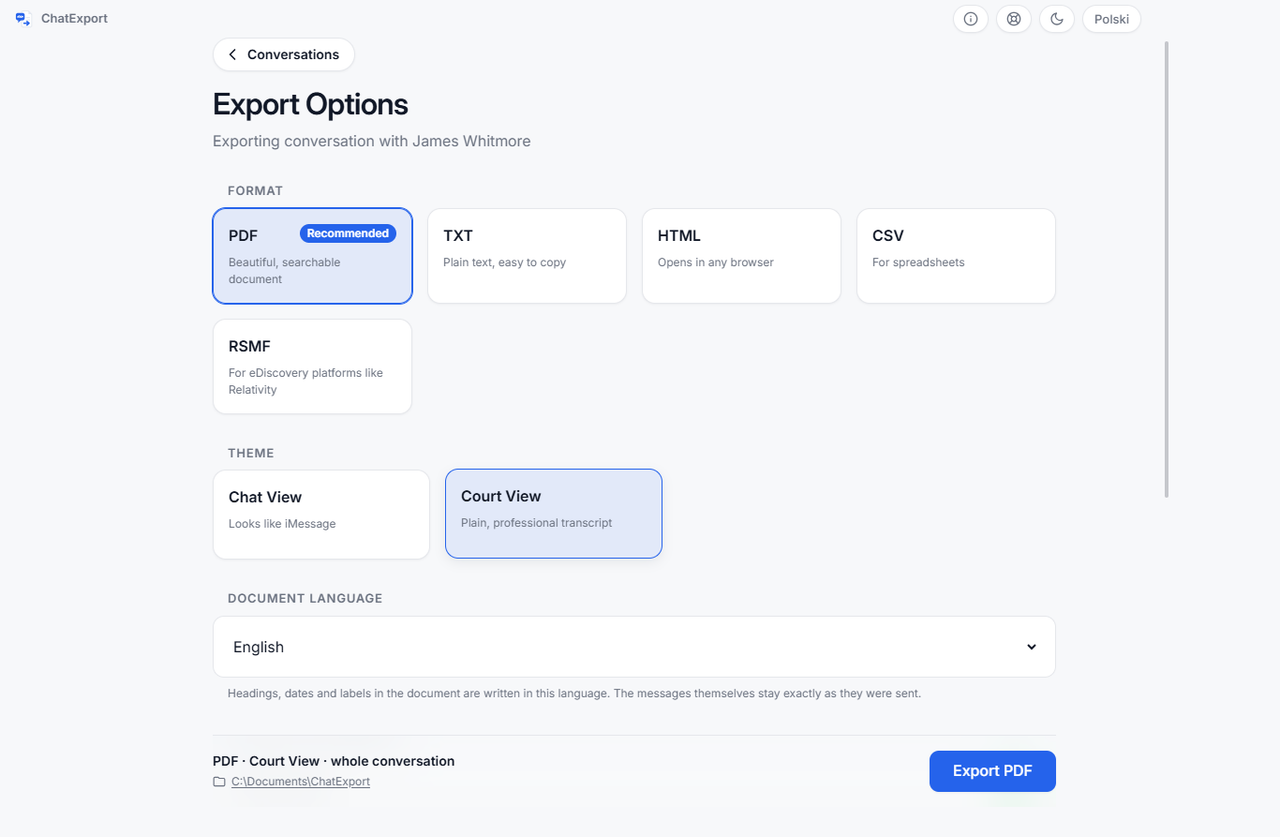
CSV, if the machine reading it is yours: it hands you the facts as columns a spreadsheet or a script can sort and filter. RSMF is machine-shaped too, but for e-discovery platforms rather than for you. PDF is made for a person and a court file, HTML for sending a searchable copy to someone, TXT for the simplest possible archive. The underlying facts are the same in all five.
Can I open it in Google Sheets instead?
Yes. The formula guard and the RFC 4180 quoting are not Excel-specific, and Sheets applies the same
rule about a leading =, so the same protection applies.
Does a trial export have the same columns?
It has those fourteen and one more. A trial file carries a trial_notice column repeated on every
row, rather than a comment line above the header. A comment above the header row would break every
script and spreadsheet that reads the file, which turns a watermark into what looks like a corrupt
file.
Is the sender column a phone number or a name?
A handle: the phone number or email address as the backup stored it. If you need names, use the PDF or HTML export, where the readable name is the point.