RCS messages on iPhone: what they are and how they export
RCS messages are the green-bubble messages an iPhone exchanges with Android phones over the RCS standard, which iPhones can use since iOS 18. The phone stores them in the same local message database as iMessage and SMS, so a computer backup contains them and they export like any other message. Telling them apart afterwards is the work, because the bubble colour stopped answering that question in 2024.
What is RCS, and why is a green bubble no longer just SMS?
RCS (Rich Communication Services) is the carrier standard meant to succeed SMS: it travels over the data connection instead of the old text channel, and it carries what SMS cannot, including typing indicators, read receipts and photos at something better than the postage-stamp quality MMS allows. Android phones have had it for years. iPhones gained it in iOS 18, in 2024.
Apple draws iMessage in blue and everything else in green, so a green bubble now means “SMS or RCS” and does not say which. Worse for anyone reading a thread back, the two mix inside one conversation: RCS falls back to SMS when the data connection or the other phone cannot carry it, so a single exchange can switch transport mid-conversation with nothing on screen to mark it.
That is cosmetic until a document has to state how a message travelled. An exported conversation that labels every green bubble “SMS” is wrong about every RCS message in it.
How do you tell whether you ever had RCS?
Two conditions have to hold, and either one can be the reason a thread you expected to be RCS is recorded as SMS.
- Your carrier has to support it. Check on the phone: Settings, General, About, and read the Carrier line. “Voice, SMS & RCS” means yes; “Voice & SMS” means no, and no setting on the phone changes that.
- The switch has to be on. Settings, Apps, Messages, RCS Messaging. Apple’s own instructions are on its page for turning on RCS messaging on your iPhone.
Both conditions are about the phone as it was when the messages were sent, not as it is today. A carrier that added RCS support last year did not convert the messages you sent the year before, and neither will switching anything on now. This is the check to run before concluding that an export lost something: on a phone that never met both conditions, an export with no RCS in it is correct.
Are RCS messages in an iPhone backup?
Yes, on a phone that had RCS. Since iOS 18 the phone stores those conversations locally, in the
same sms.db database that holds iMessage and SMS, and a local computer backup carries that
database. There is no separate RCS archive to hunt for:
make the backup the ordinary way
and the RCS messages are inside it.
Each message row has a place to record how it travelled, a column named service, and that is
the only per-message record of it. The conversation and contact tables carry a service of
their own, but a thread that mixed transports has one value there and many in its rows, so a
question about one specific message can only be answered from that message’s own row.
The last column below is the one people forget, and it is not a transport. It is the state of a row that recorded none, which happens on older rows and on conversations imported from other apps.
| iMessage | SMS | RCS | Nothing recorded | |
|---|---|---|---|---|
| Bubble colour on the phone | Blue | Green | Green | Still blue or green: the colour is drawn, the record is missing |
| Carried by | Apple’s servers | The carrier’s text channel | The data connection | Unknown, and unknowable from the backup |
| Available on iPhones | Since 2011 | Since the first iPhone | Since iOS 18, where the carrier supports it and the switch is on | Any age |
service value in the backup | iMessage | SMS | RCS | Empty |
| Reported as changing in the iOS 27 betas | Nothing | Nothing | Reactions to photos and videos, and inline replies, with Android | Nothing |
Empty does not mean the message had no transport, so filling the blank with a guess is inventing evidence. The anatomy of the backup folder this all lives in is its own subject: where Windows stores iPhone backups.
What changes for RCS in iOS 27?
Reactions and replies. In the betas of iOS 27, which Apple is expected to release in September, a reaction to a photo or video from an Android contact arrives on the other end as a reaction instead of as a separate line of text spelling out what somebody reacted to, and a reply can attach to a specific earlier message in the thread. Both were reported from beta 2 by MacRumors and 9to5Google in June 2026, and both describe a beta rather than a shipped release, so they are worth re-checking against the release itself.
The consequence for anyone exporting a conversation is that mixed iPhone-and-Android threads stop being plain rows of text and start carrying the structure iMessage threads have had for years. A reaction that a reader mistakes for a message puts a sentence nobody wrote into the transcript. ChatExport reads a reaction code it has never seen before as a reaction rather than as a message, which is the failure iOS 18’s emoji tapbacks caused in this program once, when an unrecognised code turned into a transcript line no human had typed.
Which exports carry the transport, and which do not?
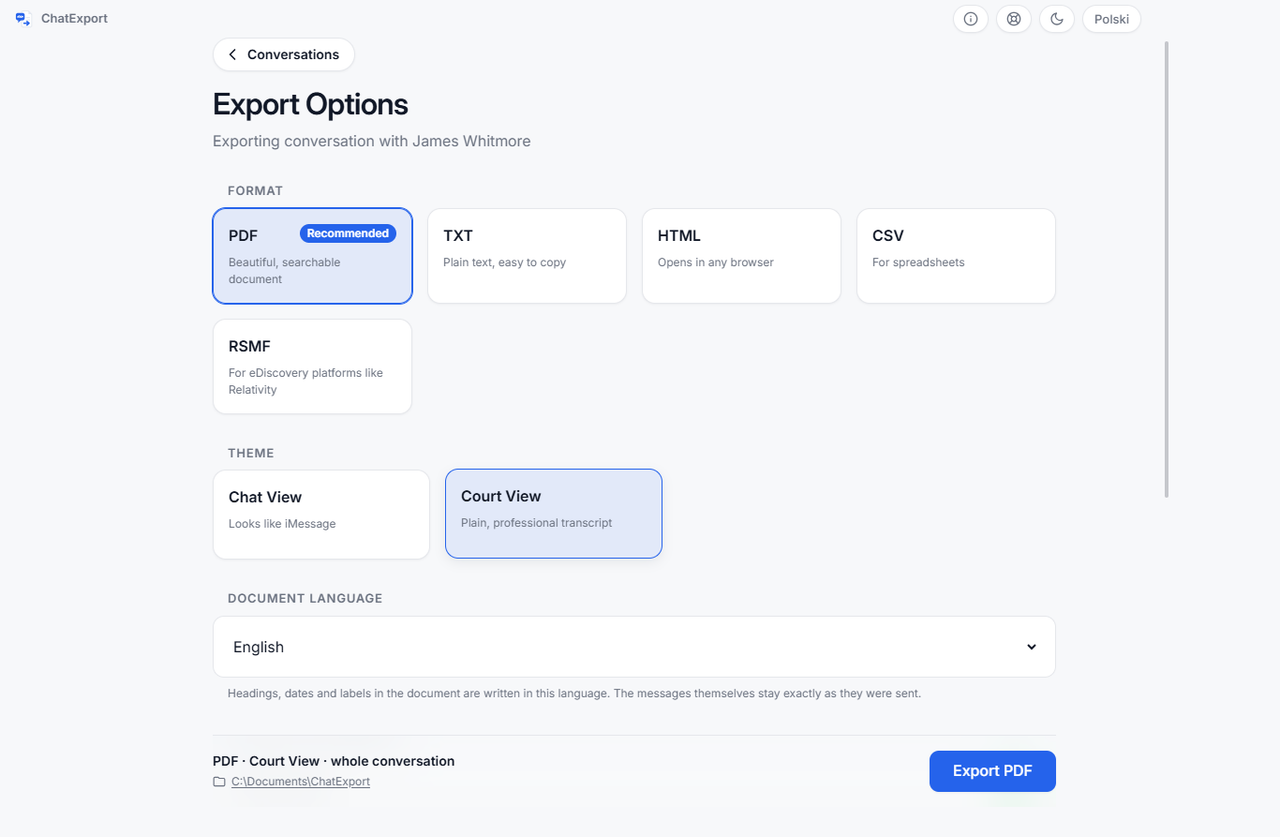
Two of the five carry it message by message, and a third answers a narrower question.
| Format | What it says about transport |
|---|---|
| PDF, every view | The summary page names the transports the document contains, for example “Apple Messages (iMessage, RCS)” |
| PDF, Court View | Additionally, each message states its own transport beside its timestamp, but only when the document mixes more than one |
| CSV | A service column, one value per message, empty where the backup recorded none |
| TXT and HTML | Nothing. These formats carry no transport information |
| RSMF | One platform for the whole conversation, imessage or whatsapp, rather than a transport per message. A thread that mixes SMS, RCS and iMessage still arrives labelled imessage, so the per-message detail is in the CSV or the Court View PDF, not here |
Two consequences follow. A Court View document of a conversation that was entirely RCS carries one statement on the summary page and no per-row labels, because repeating one fact on five thousand rows is noise rather than evidence. And a document made from a backup that recorded no transport at all falls back to the generic wording “Apple Messages (iMessage / SMS)”: not a claim about any particular message, and not silence either. The full walkthrough from backup to finished file is in how to export iPhone messages to PDF.
What can the transport label not tell you?
- It cannot fill in what the database left blank. A row with no recorded transport stays unlabelled, and the summary falls back to the generic wording above. The alternative is a printed guess, which is worse than a gap.
- It does not count the blanks for you. The document does not report how many rows recorded no transport. In a CSV you can count the empty cells yourself, which is the reason to export one alongside a PDF when that number could be asked about.
- It does not gatekeep the future. A transport name this program has never seen is reported verbatim rather than dropped, because a reader left guessing about an unknown label is exactly what a label exists to prevent.
Questions people ask
Do RCS messages show up in old backups?
Only in backups from a phone that had RCS at the time: iOS 18 or later, a carrier that supported it, and the RCS Messaging switch on. Miss any of the three and those conversations ran as SMS and are recorded as SMS.
How can I tell whether one particular message was RCS or SMS?
From an export rather than from the phone. In a Court View document that mixes transports the
label sits beside each message’s timestamp; in a CSV the service column answers it for every
message the backup recorded one for, and is empty for the rest. The bubble on the phone only
tells you it was not iMessage.
The transport is blank for my messages. Is that a bug?
No, and it is not a bug in the phone either. It means those rows carry no recorded transport, which happens on older rows and on conversations imported from other apps. Nothing in the backup can recover it, so the honest reading is that the transport of those messages is unknown.
Will iOS 27 turn my old SMS threads into RCS?
No. A message’s transport is a fact about how it was sent, recorded when it happened. New messages in a thread can travel as RCS while the older ones stay SMS, and a document containing both says which is which, message by message.
Related
- How to back up iPhone text messages to a PC without iCloud, the backup that holds the RCS messages in the first place, step by step.
- Are text messages saved in iCloud?, for the other question a backup raises: not which transport carried a message, but whether the backup received it at all.
- Where Windows stores iPhone backups, for the folder that holds the message database this article keeps pointing at.